
Logo

What are you looking for?

Get help straight from our team...

Changing an Individual's Marketing Preferences

Organisation Management

Changing an Individual's Marketing Preferences

How to change the marketing preferences for an individual within your CRM

Last updated on 10 Nov, 2025

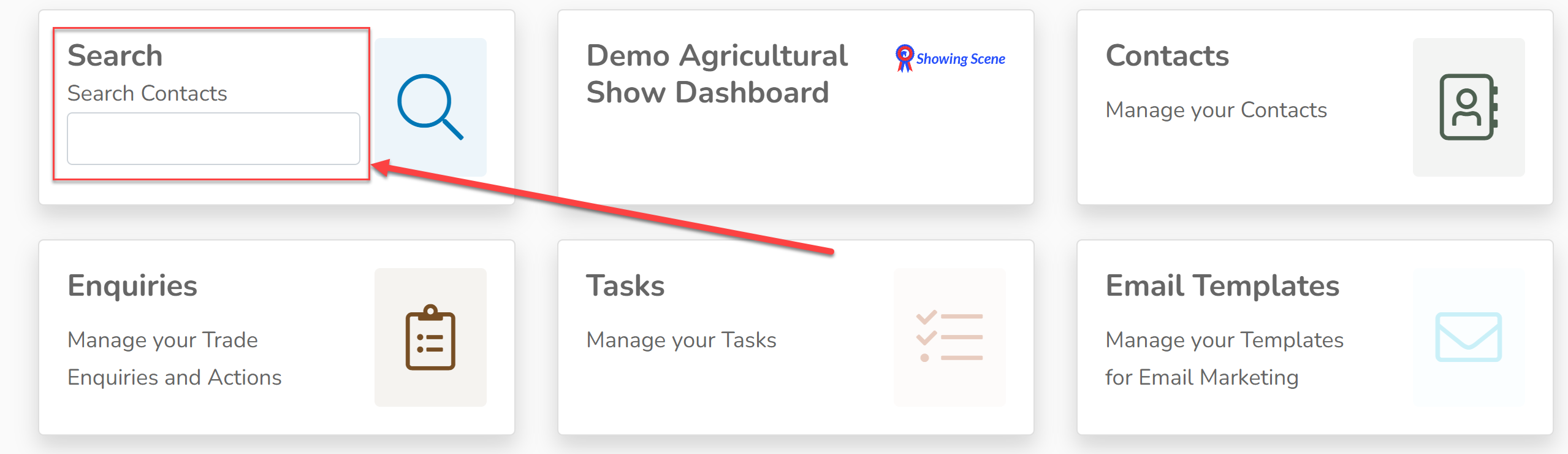
1. Search for the contact you wish to change from within your CRM and open their account. 
Image

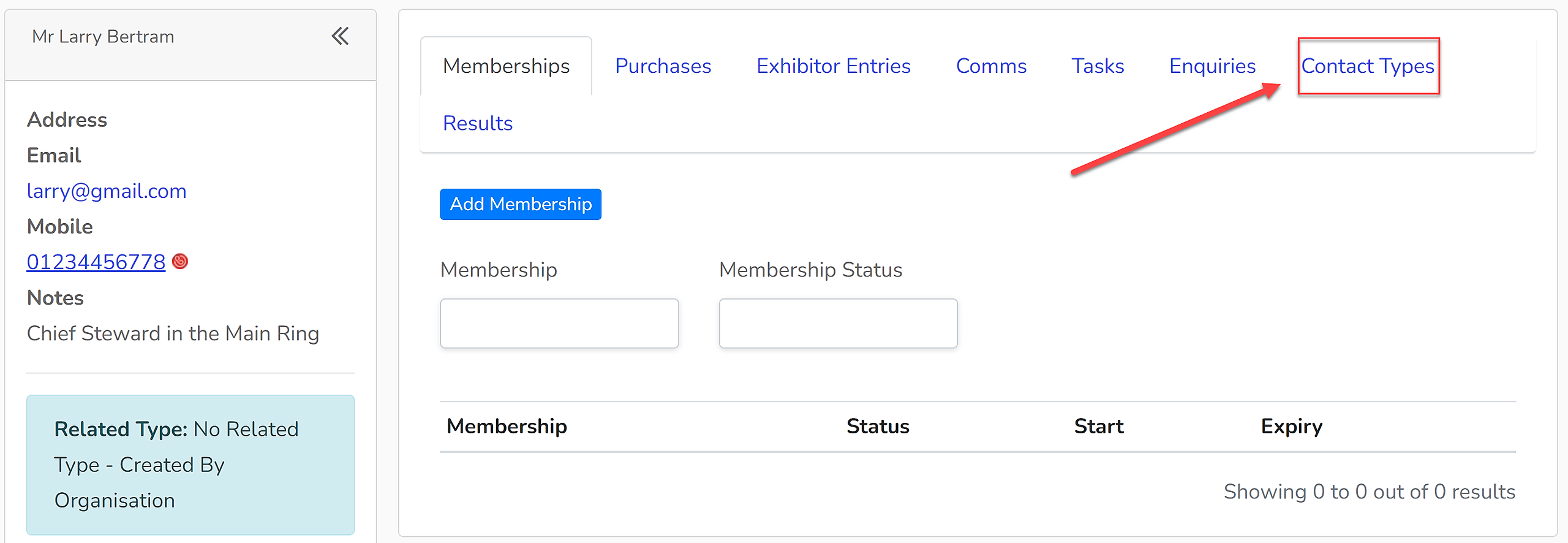
2. Within their account select the 'Contact Types' tab. 
Image

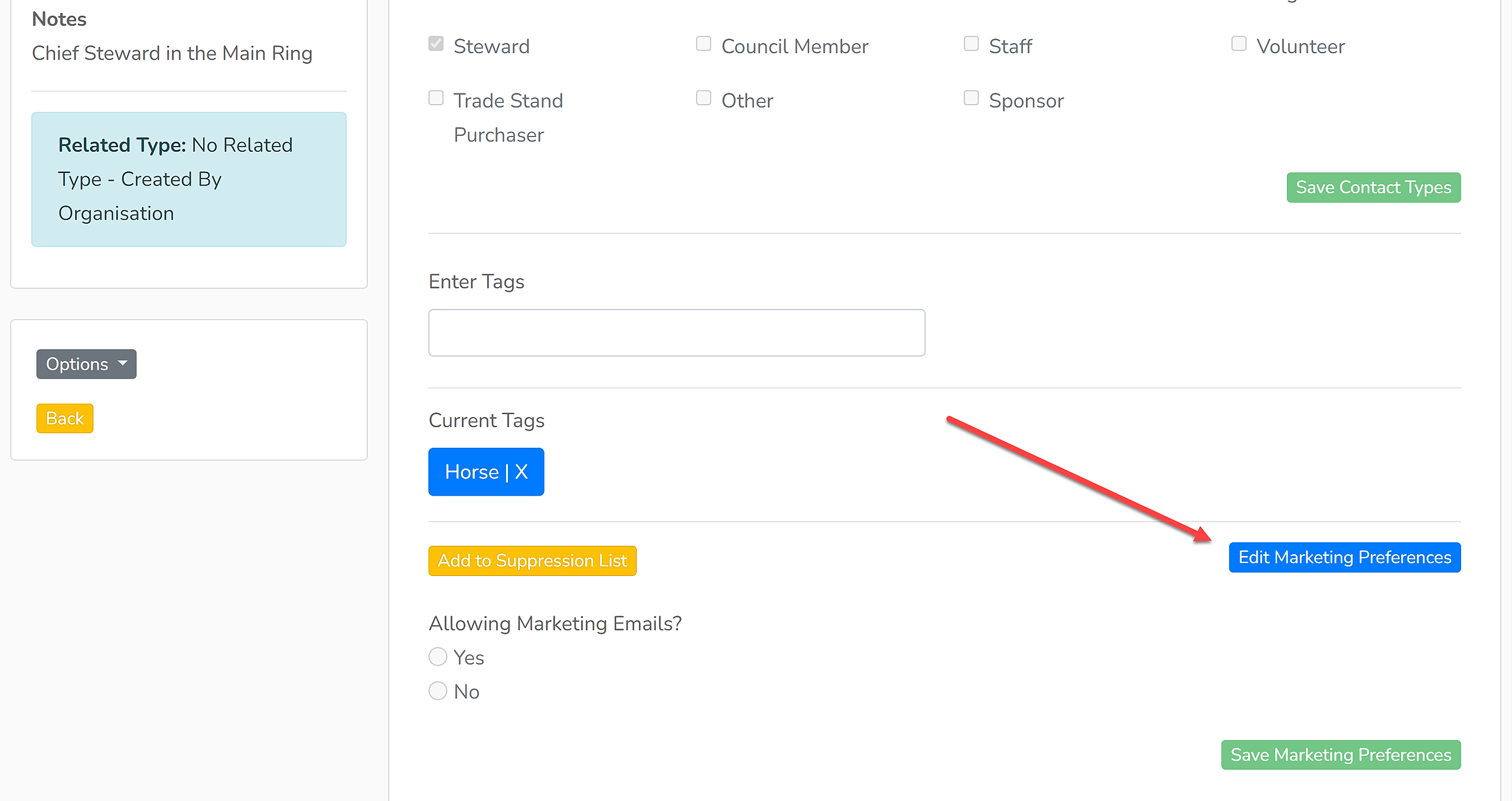
3. Scroll down to the bottom of this tab and click 'Edit Marketing Preferences'.
Image

4. Under 'Allow Marketing Emails?', select 'Yes' or No'.

Image

4. Click 'Save Marketing Preferences' to save your changes. 

Image


Did you find this article helpful?
Previous

Merging Contacts

Next