

What is 'Ordering'?
Ordering is adding a product to a list ready for sale/booking and choosing which order it appears in within that list.
The following products can be added to 'Ordering':
Trade Stands
Sponsorships
Event Extras
Show Extras
How to Order Products
When you are ready to set a product available to view by Showing Scene users, select the 'Ordering' button which is available in the relevant section as shown below:
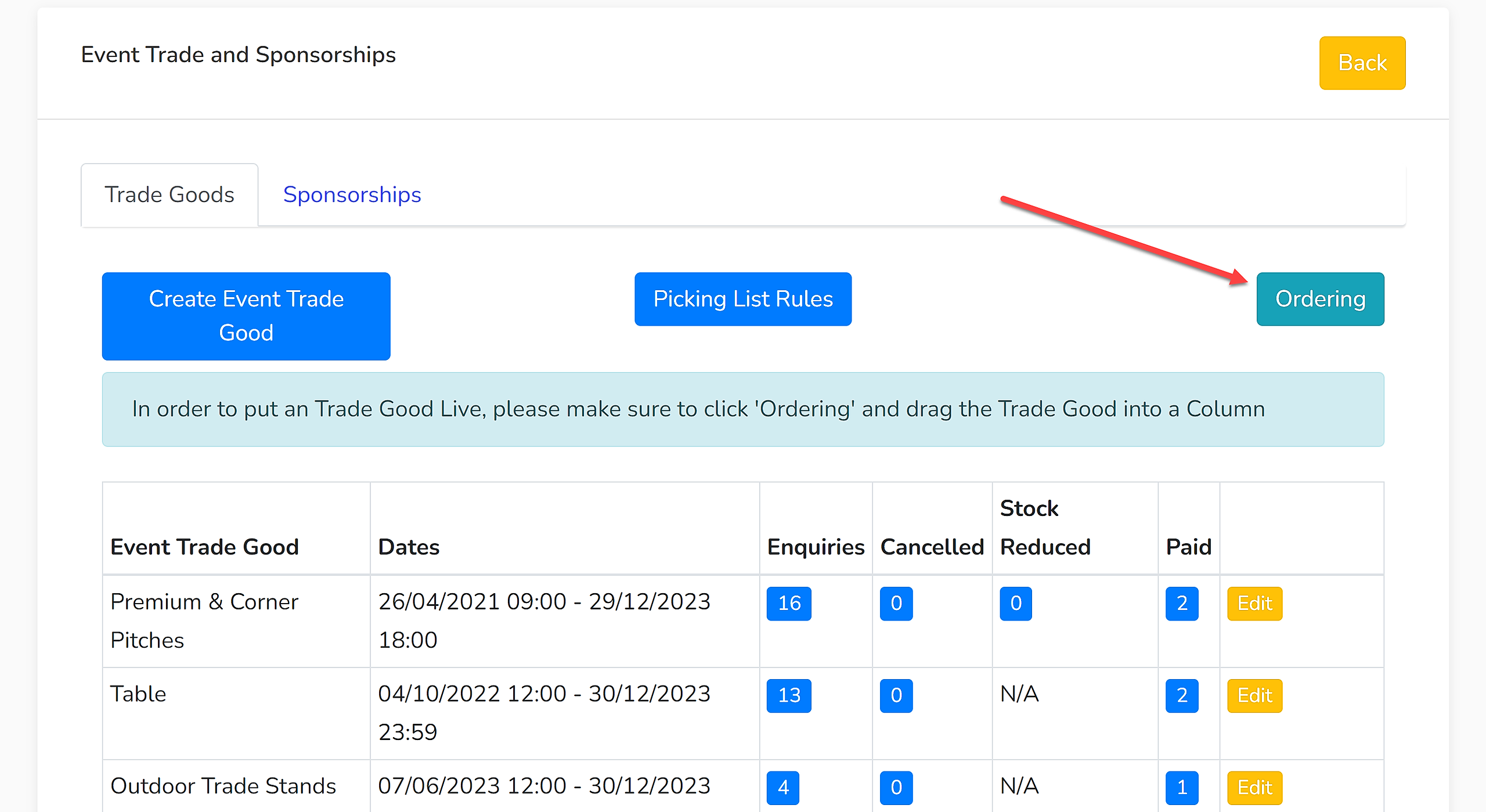
Products can be dragged into a column to set them live.
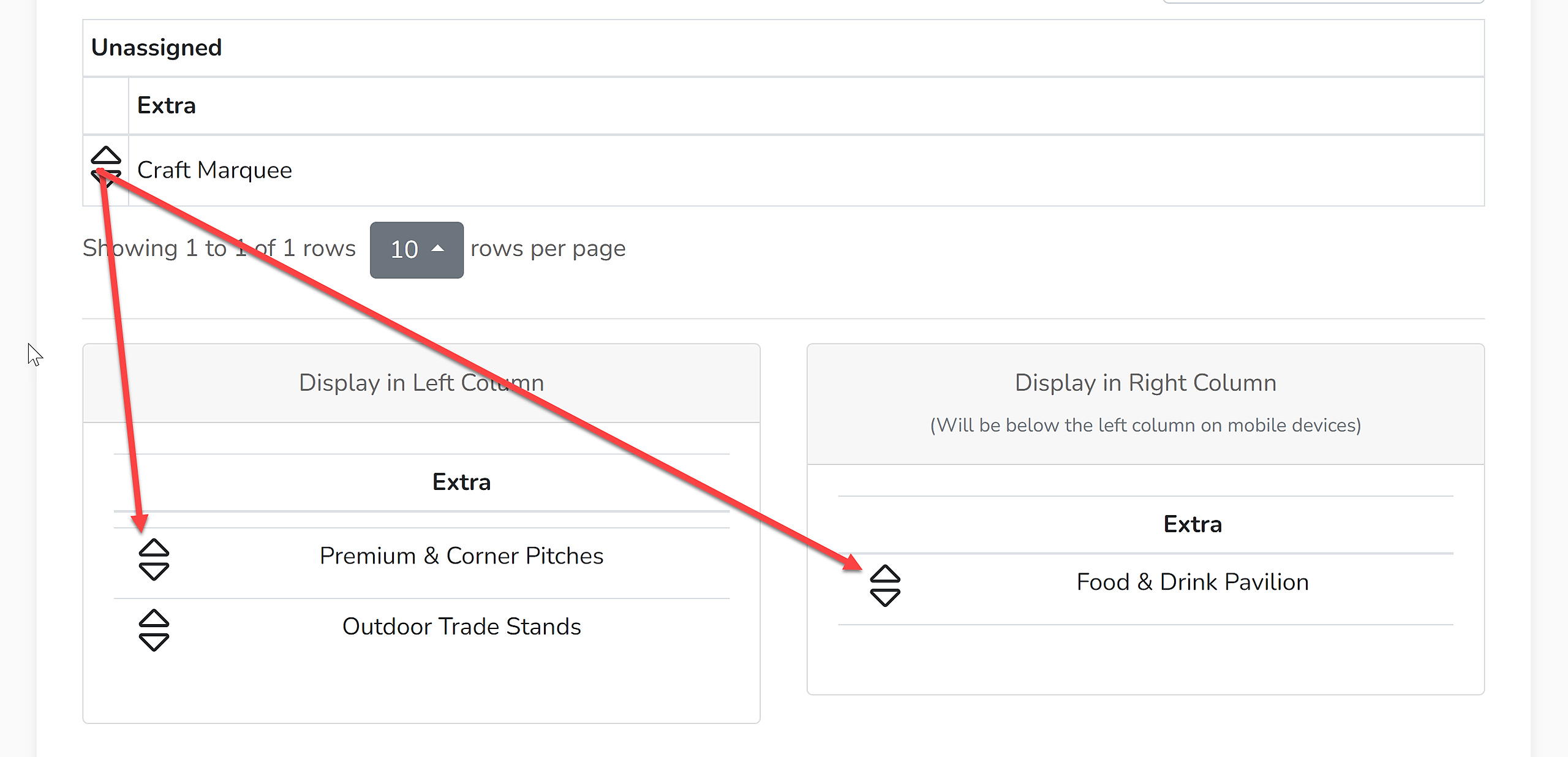
If products are listed in one column, they will show out to the public in a single column of products. If products are listed across two columns, they will show out in two columns on desktop/tablet devices, but for mobile devices, the right column will be listed below the left.
Purchase Opening Dates & Times
If a product is ordered with a purchase opening date & time set in the future, the product will appear in the list but the product cannot be purchased or booked until that opening time has been reached. It will instead show out like this:
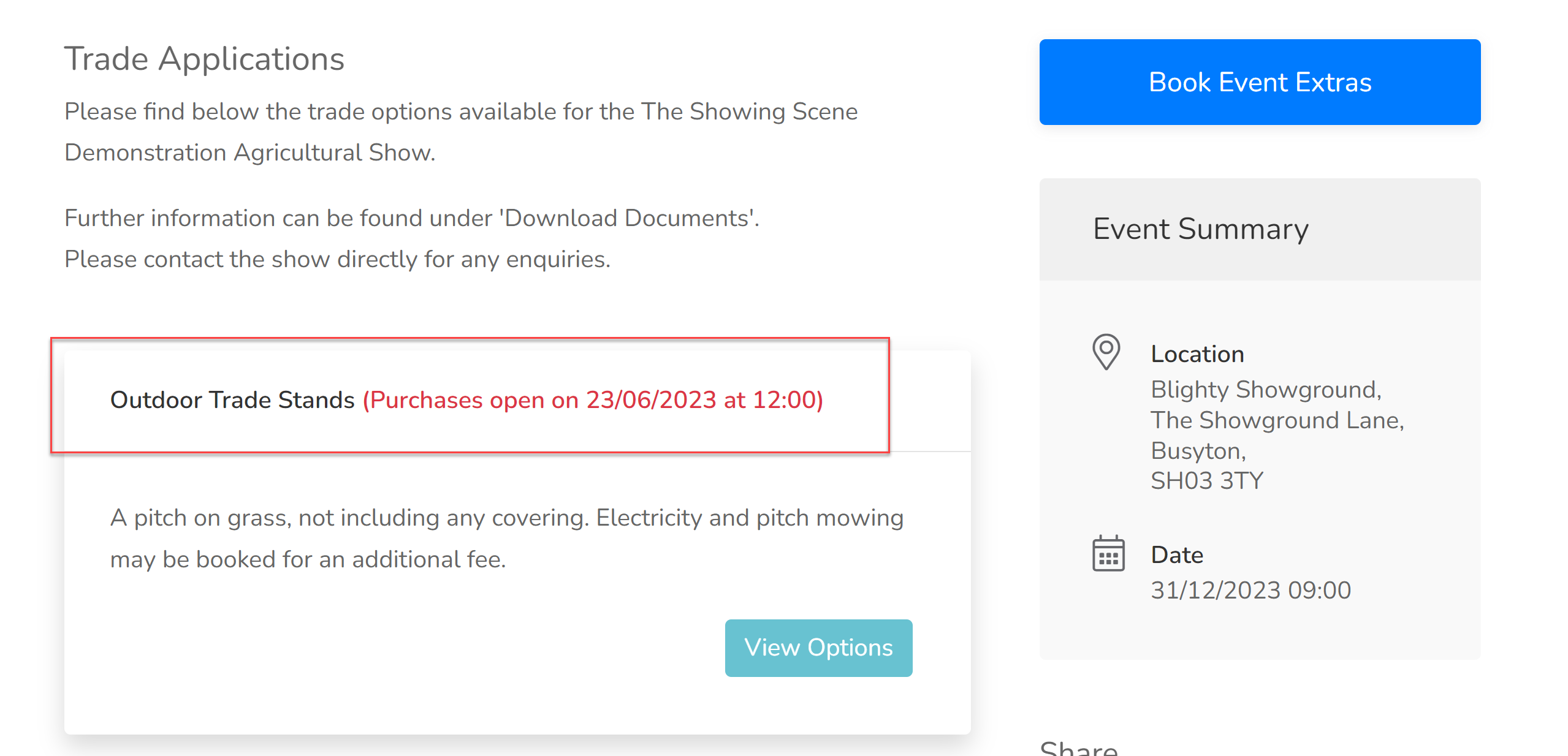
Options can only be viewed when the product becomes available to purchase or book.