

Once an invoice has been produced for a product, that product cannot be removed whilst the invoice remains live.
Sometimes, a product requires changing after it has been invoiced for.
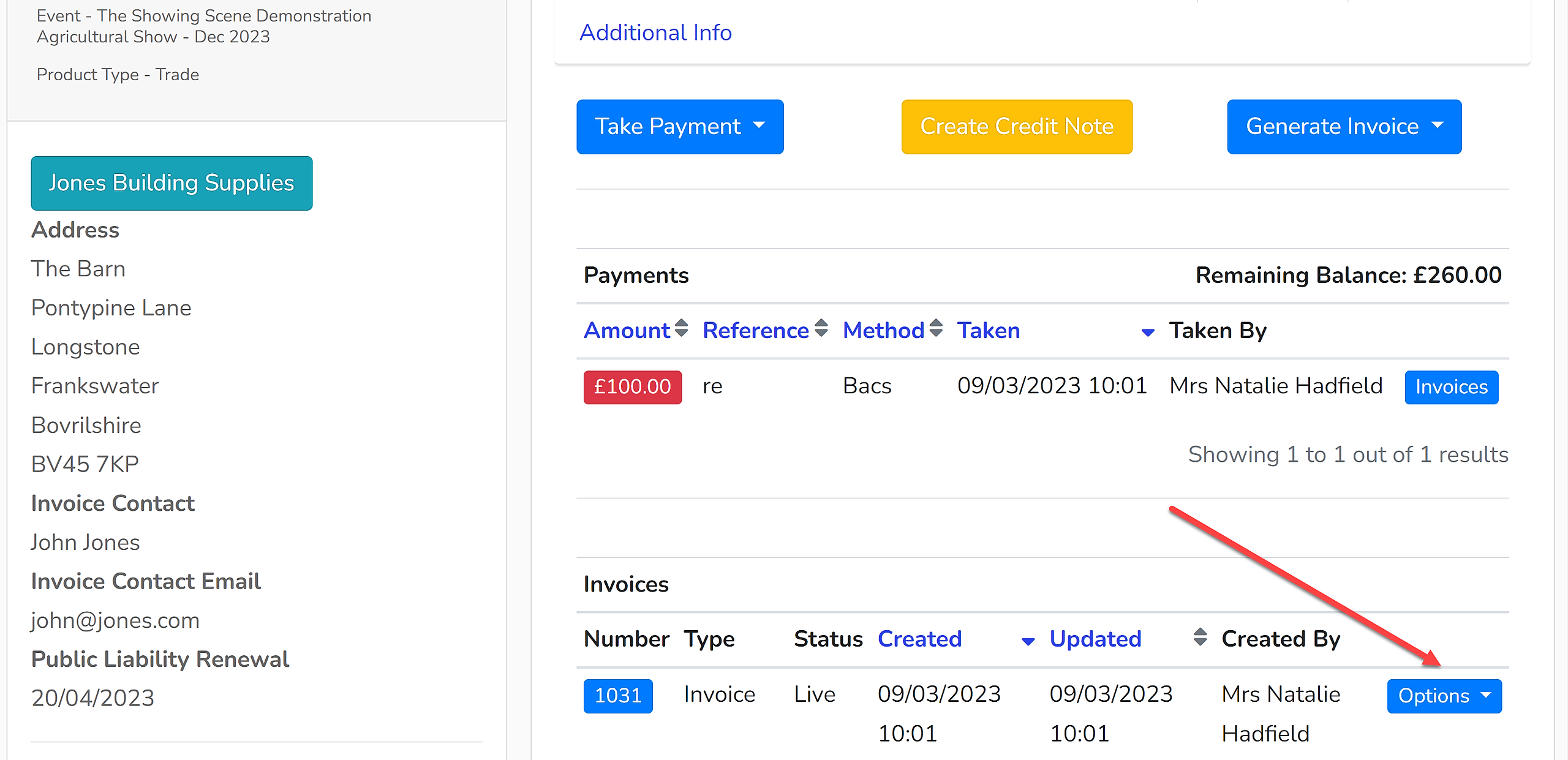
1. Open the enquiry and open the 'Payments' tab. Cancel the invoice relating to the product by using the dropdown menu to the right of the invoice and select 'Cancel':
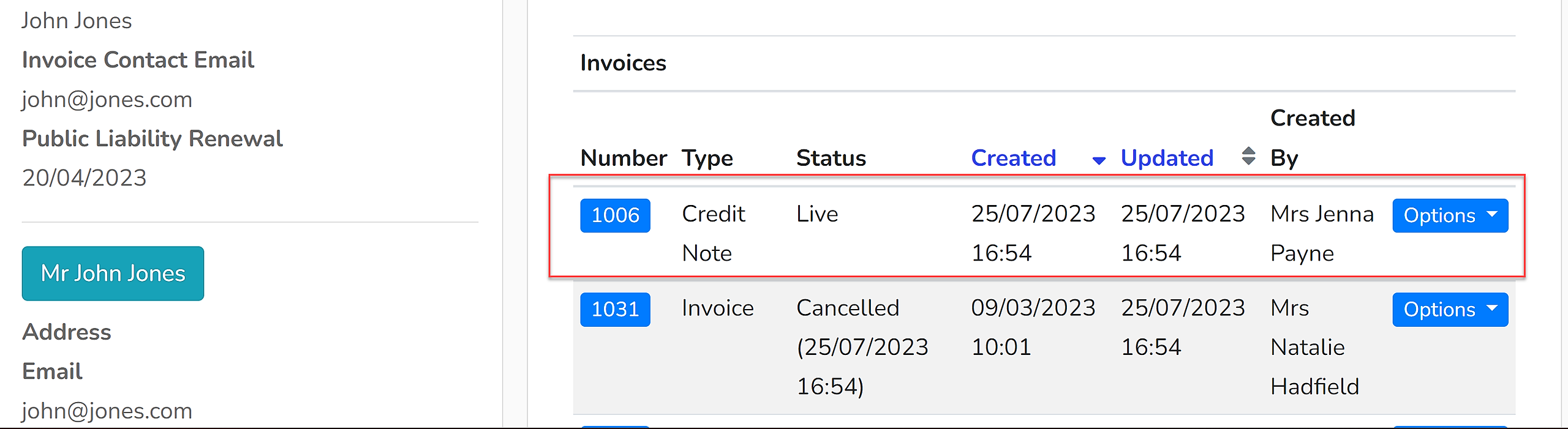
2. The invoice has been cancelled and a credit note will automatically be raised against it:
3. Open the 'Products' tab.
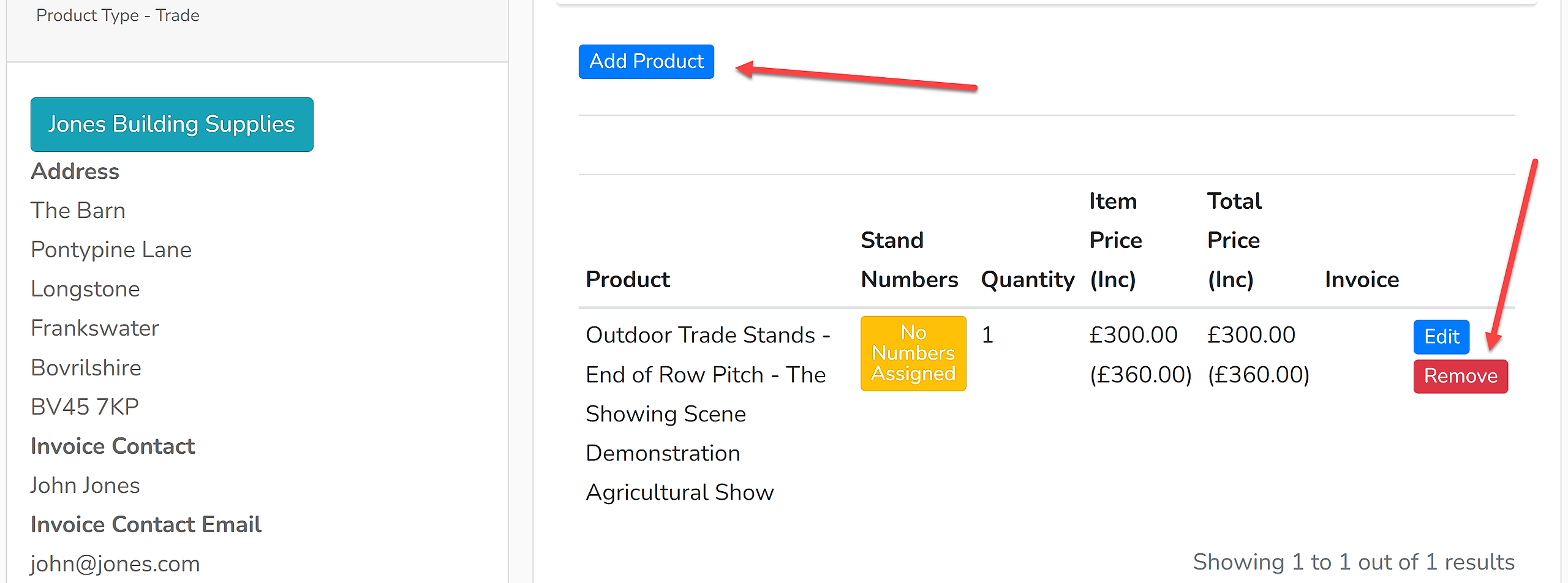
4. The product that was previously connected to that invoice will now have the 'Remove' button enabled. You can either add the new product first and then delete the old product, or vice versa:
The outstanding balance will be updated according to what products are held within the product list. A new proforma or full invoice can then be raised to request funds. Should a partial refund be required, you will need to contact the Showing Scene team at support@showingscene.com.